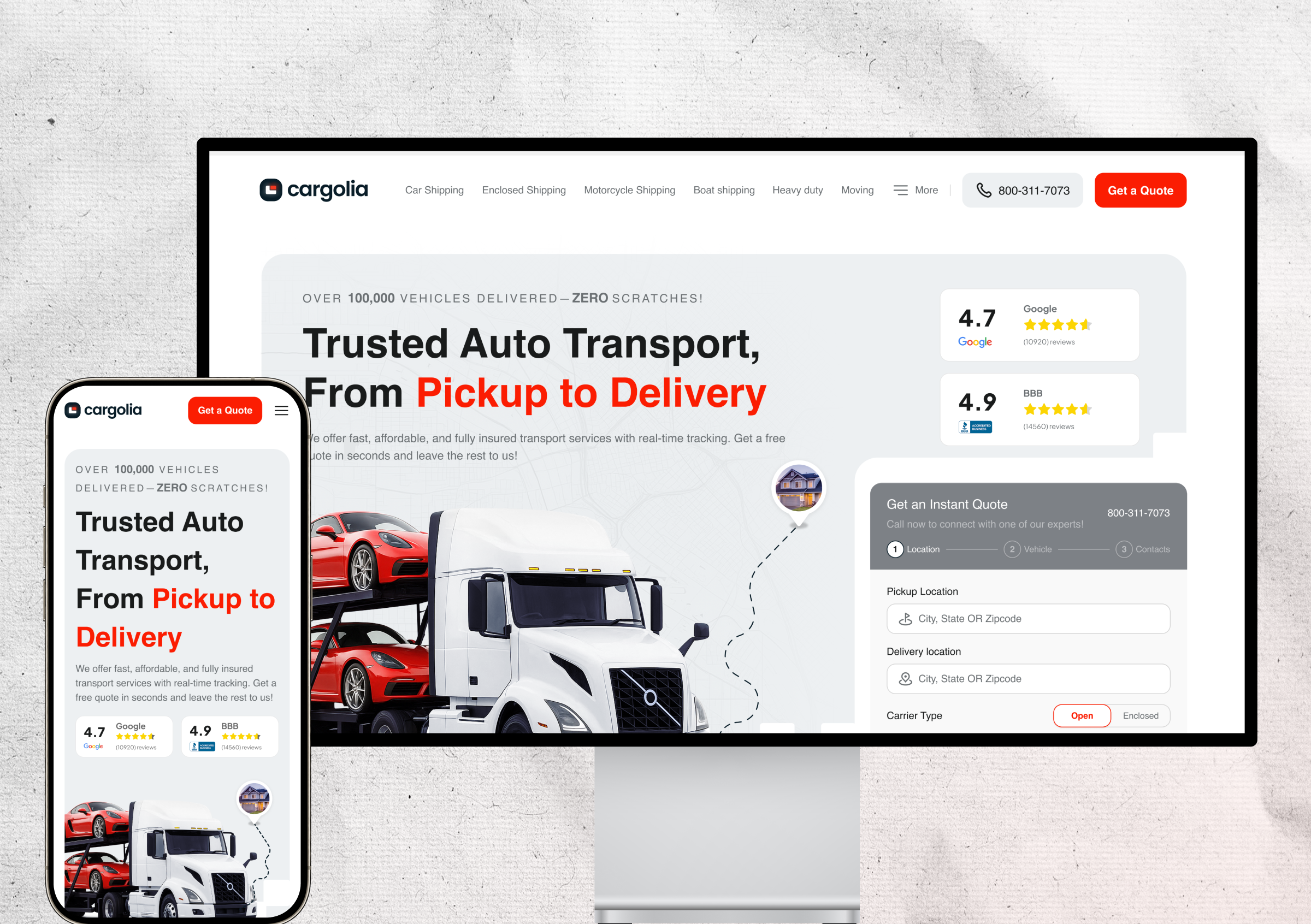
Limited Network Support
Some charging apps only supported specific charging networks or connector types, forcing drivers to use multiple apps depending on the charger available.
 case study
Plugly is an EV charging app designed to help drivers find the right charger based on their vehicle, connector compatibility, availability, and real time charging data. Rather than being another charger directory, it recommends the most suitable charging option for each driver.
EV charging apps were fragmented, and many of them also had reliability issues. Drivers often needed more than one app and still couldn’t be sure a charger would work when they got there.
This made charging stressful and time consuming, and made it hard for drivers to trust any single app.
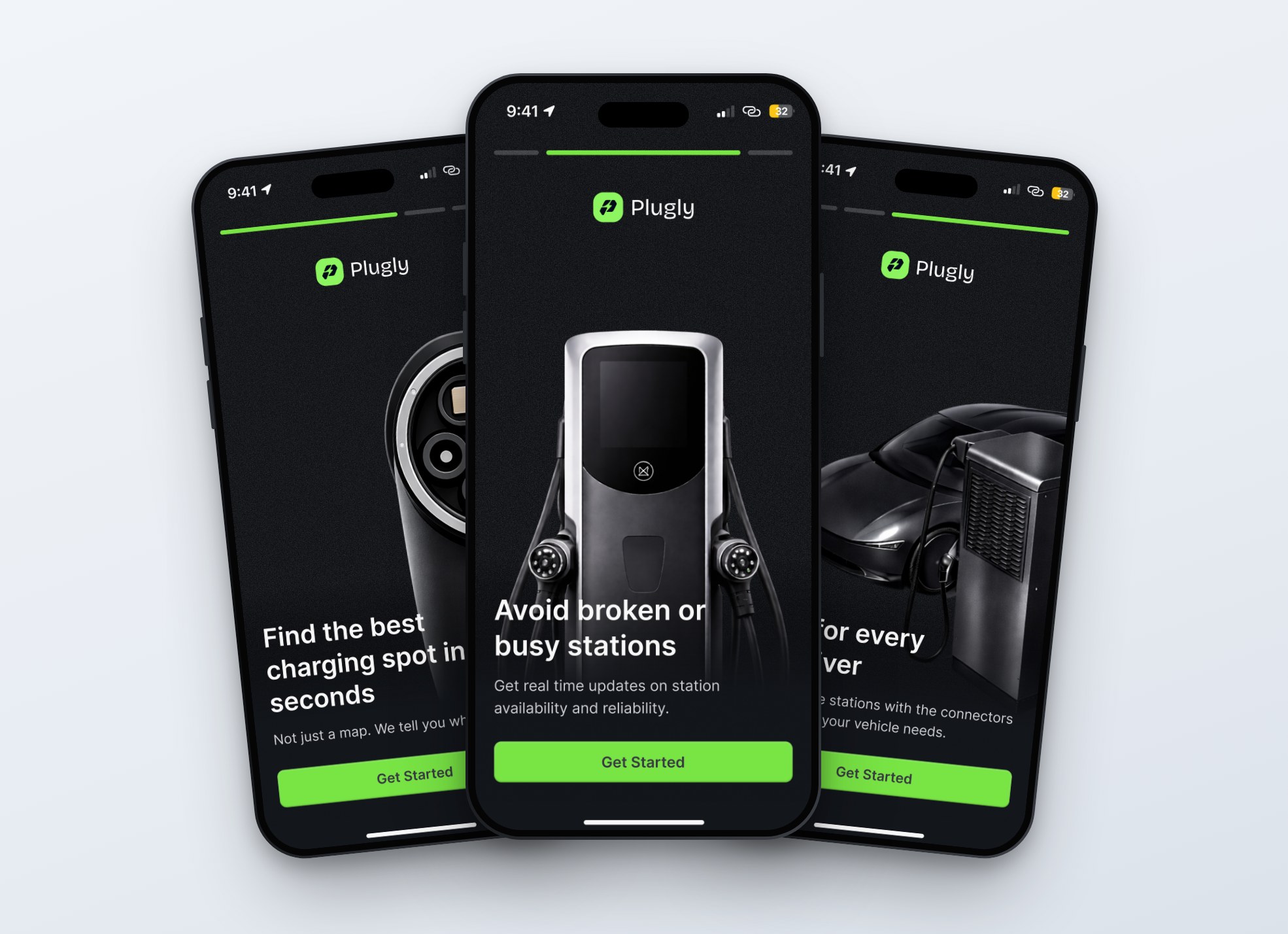
The problem wasn’t only that EV charging apps were fragmented. Many existing solutions also had reliability issues.
Some charging apps only supported specific charging networks or connector types, forcing drivers to use multiple apps depending on the charger available.
Many apps lacked accurate live updates, so users could arrive at a station only to find the charger unavailable, occupied, or incompatible with their vehicle.
Drivers often had to manually compare charging stations, check compatibility, and guess whether a charger would actually work.
Plugly solves this by moving from a charger directory to an intelligent recommendation experience. Instead of showing users a long list of charging stations, Plugly evaluates multiple factors and recommends the most suitable charging option for that specific driver.
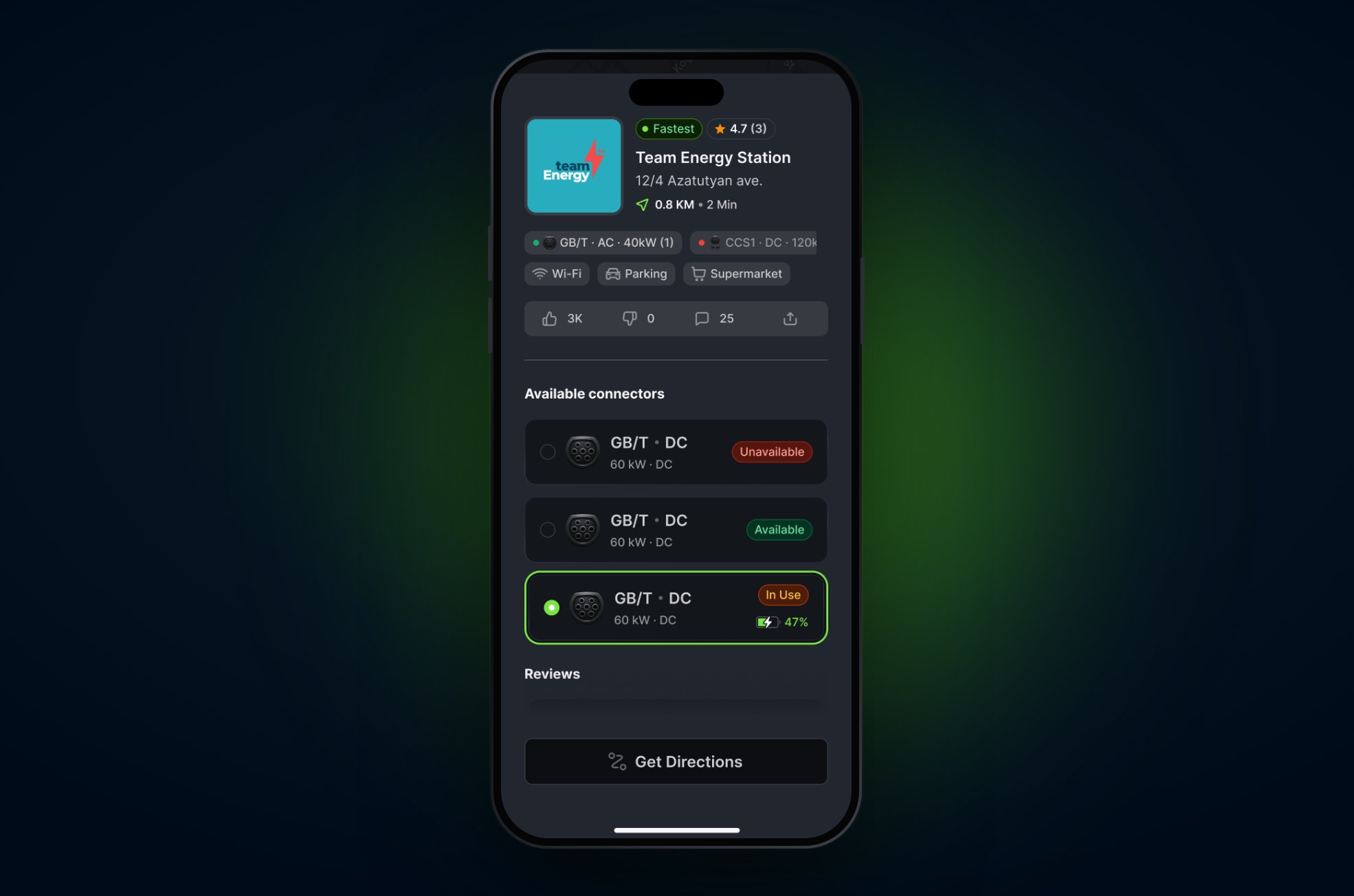
Each recommendation is based on six factors.
Plugly checks these for every station nearby, so drivers don’t have to do it manually.
Matching chargers to the driver’s vehicle, so only compatible options are recommended.
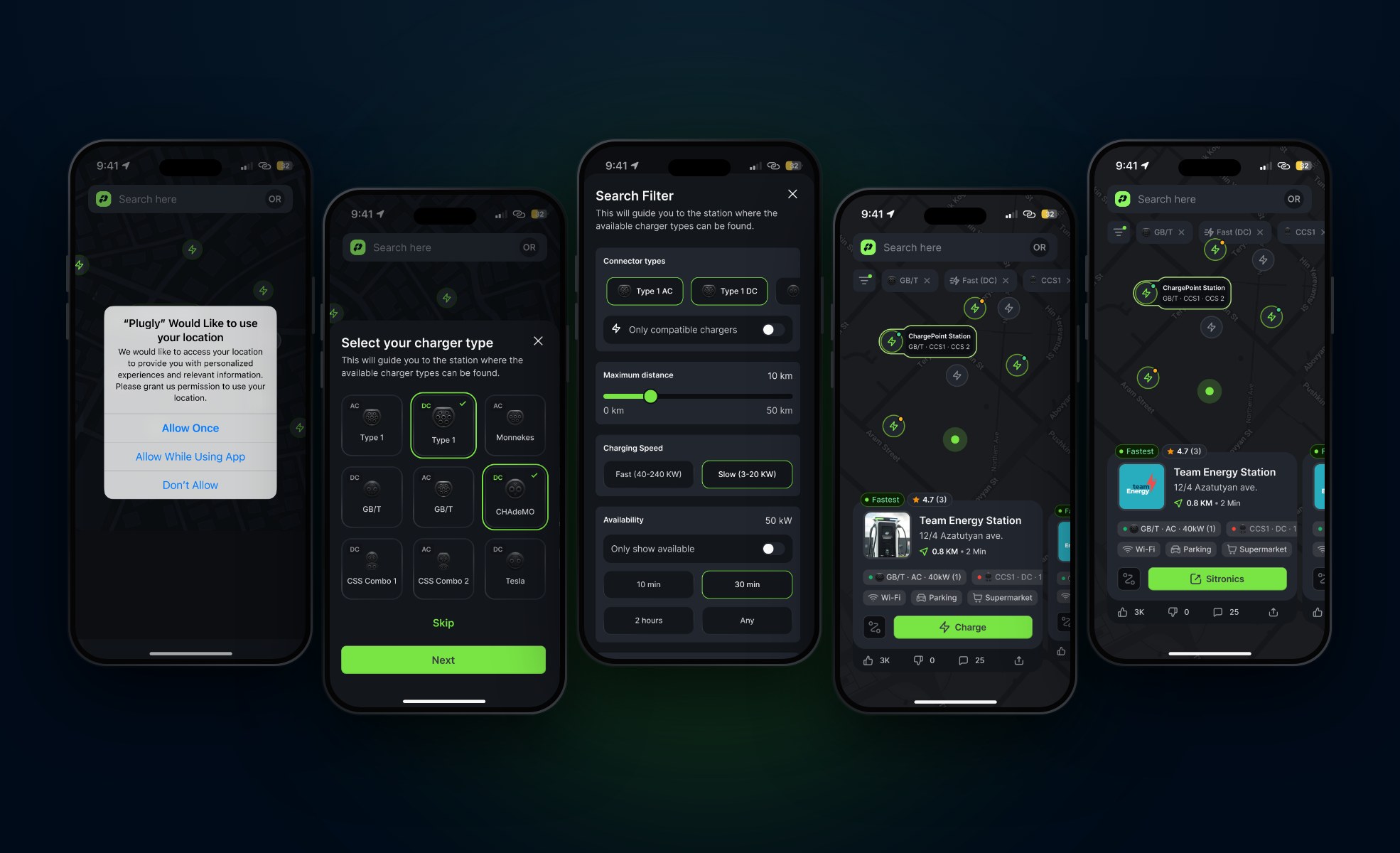
Filtering stations by the connectors the driver has saved, such as CCS, CHAdeMO, GB/T, Type 1, and Tesla.
Showing whether a charger is fast (DC) or slow (AC), along with its power in kW.
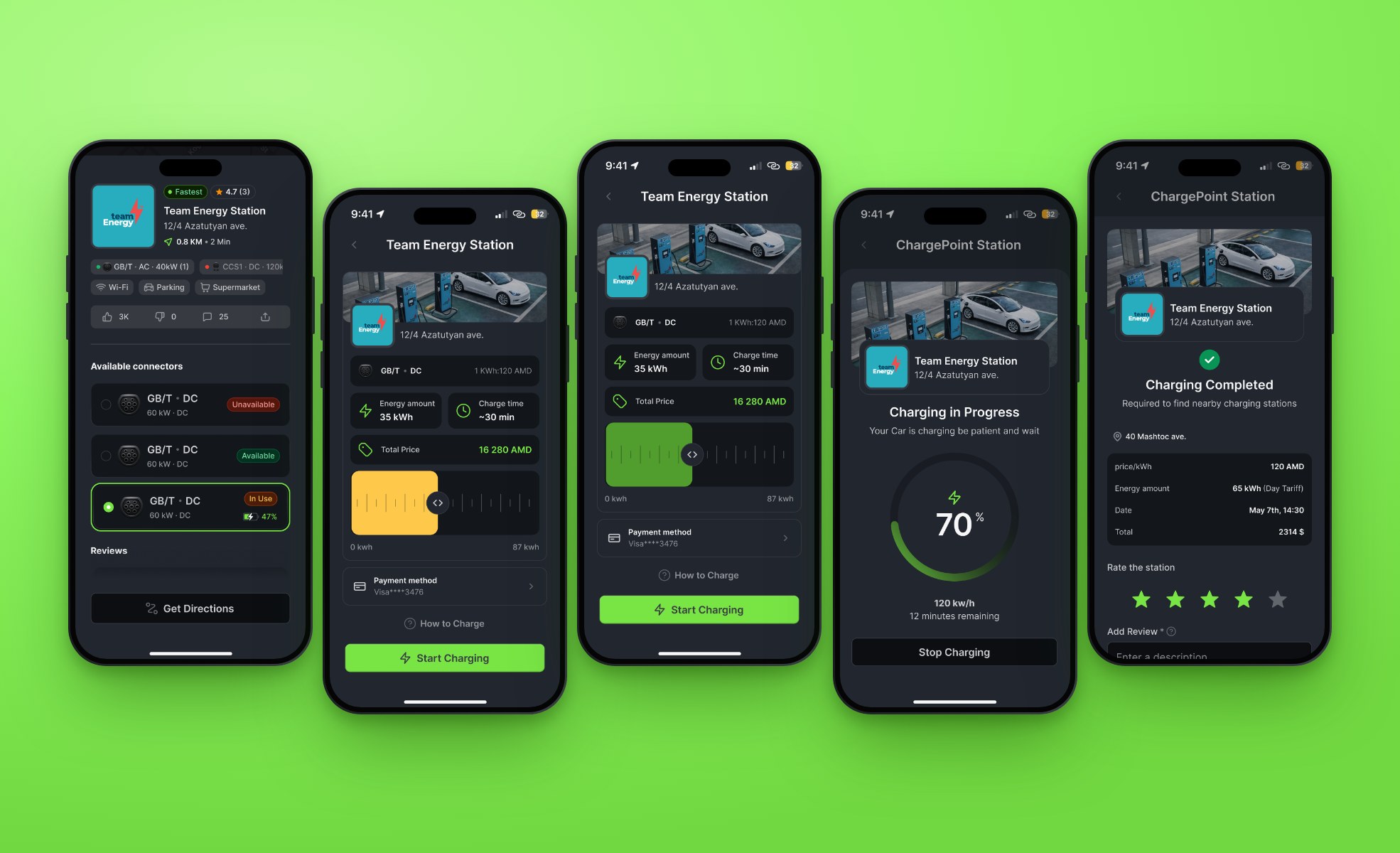
Showing if each connector is available, in use, or unavailable before the driver gets there.
Showing how far each station is and how long it takes to get there.
Using ratings and reviews from other drivers as a signal of how reliable a charger is.
The design process included several key stages, from research to the final screens:
The recommendation logic was a big part of the process, since it shaped how most of the screens were designed.
Analyzing existing EV charging apps and identifying where they fall short.
Mapping out the full charging journey, from finding a station to completing a session, to see where drivers get stuck.
Defining what drivers actually need, which is a compatible and available charger close by.
Deciding which factors matter most when recommending a charger and how they should be ranked.
Mapping out the flows for onboarding, connector setup, search, station details, charging, and payment.
Creating low fidelity layouts to outline the basic structure before moving into visual design.
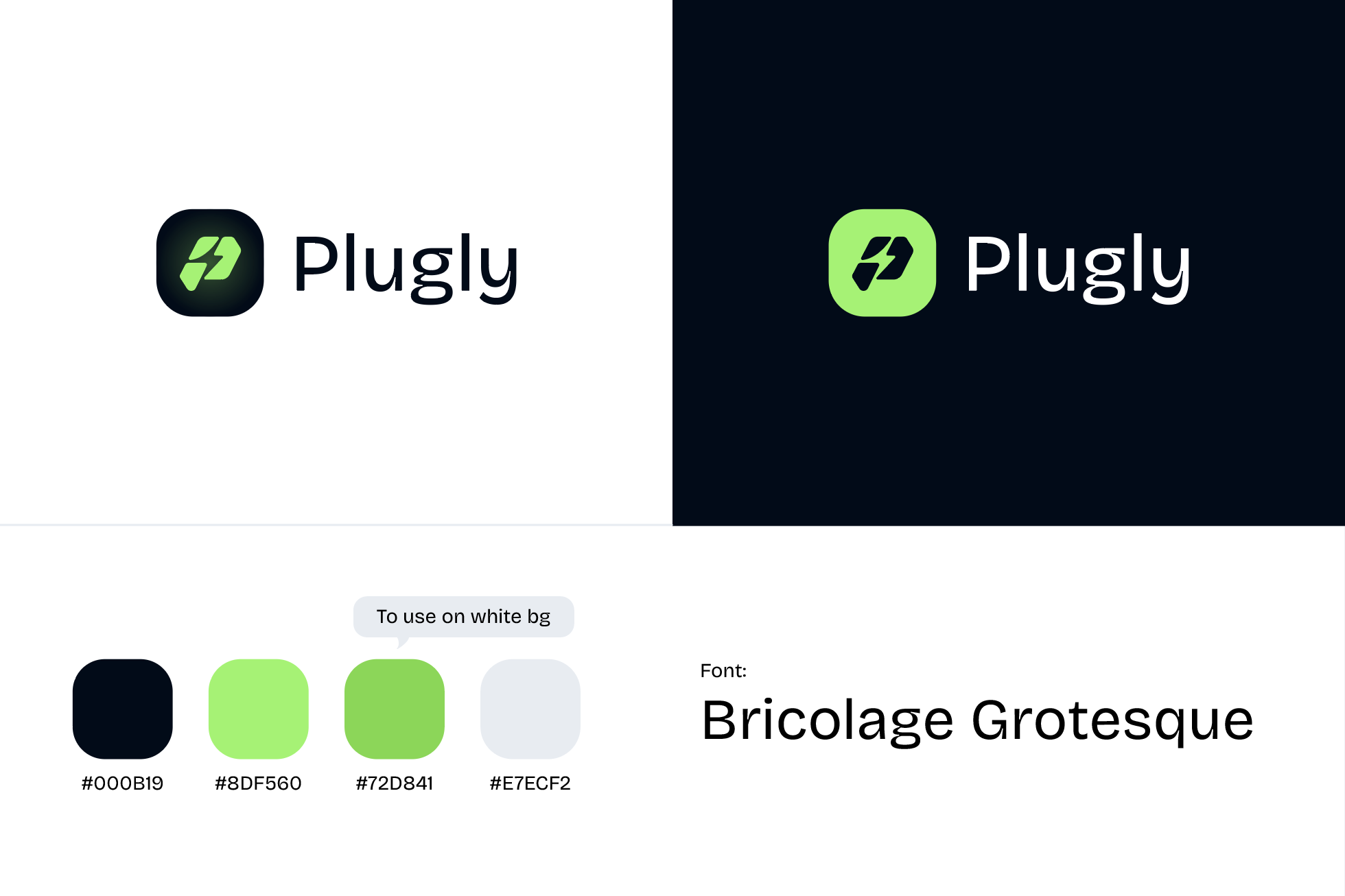
Creating the Plugly branding and turning the wireframes into high fidelity screens.
Connecting the screens into a clickable prototype to go through the full flow and refine the details.
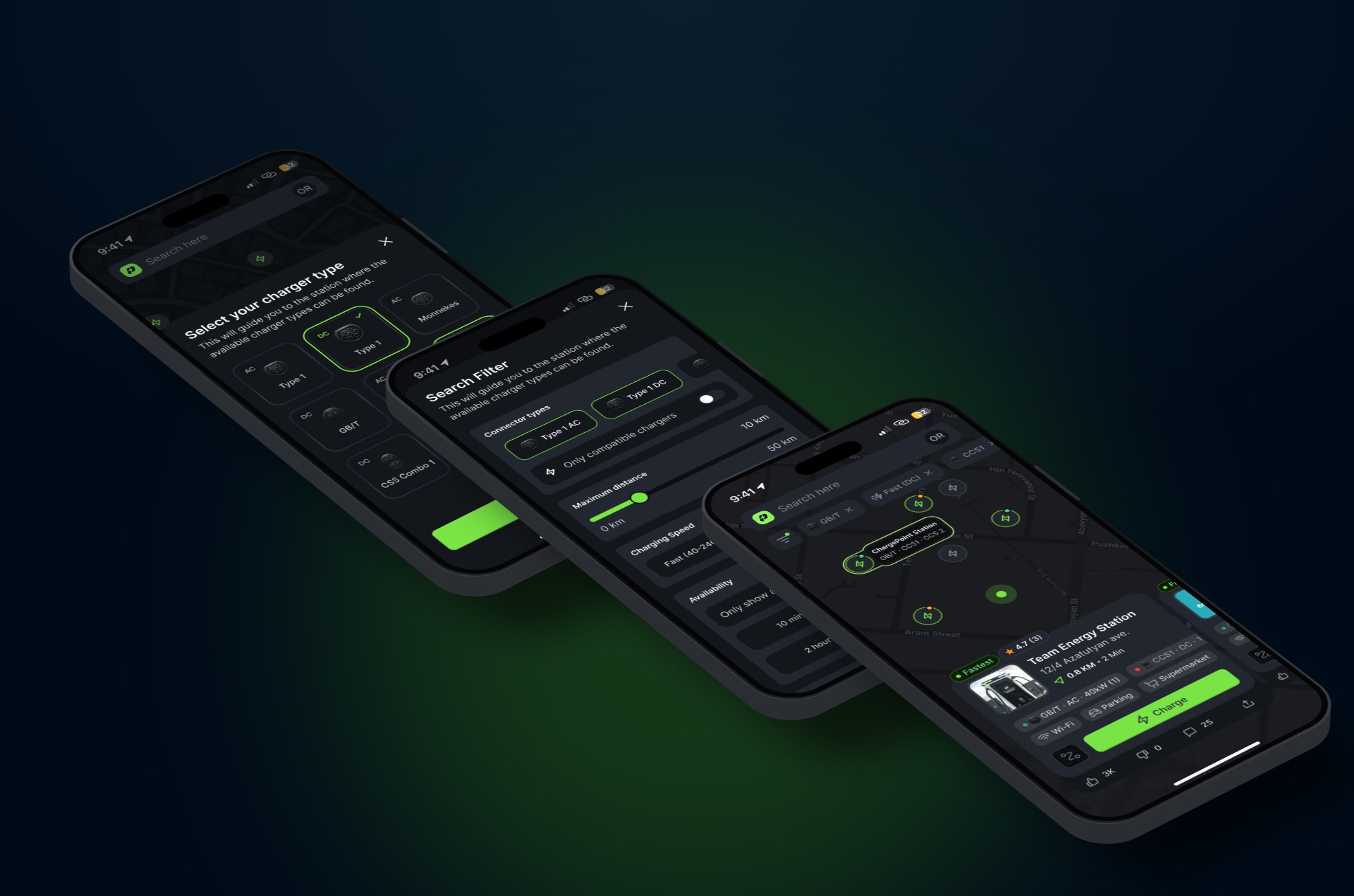
The final design is a clean, dark interface with lime green used for the main actions, so it’s easy to see what to do next.
Charger status is shown the same way across the app, with green for available, orange for in use, and red for unavailable.
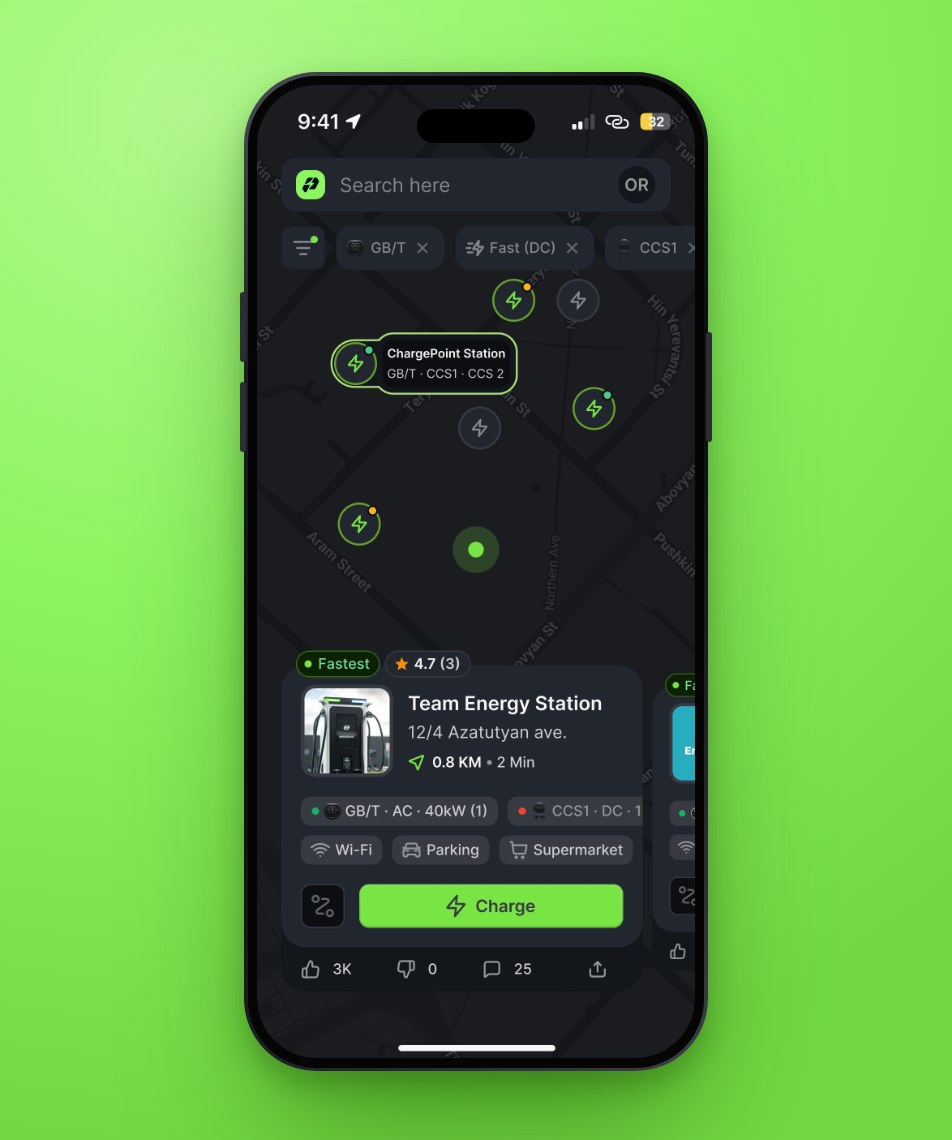
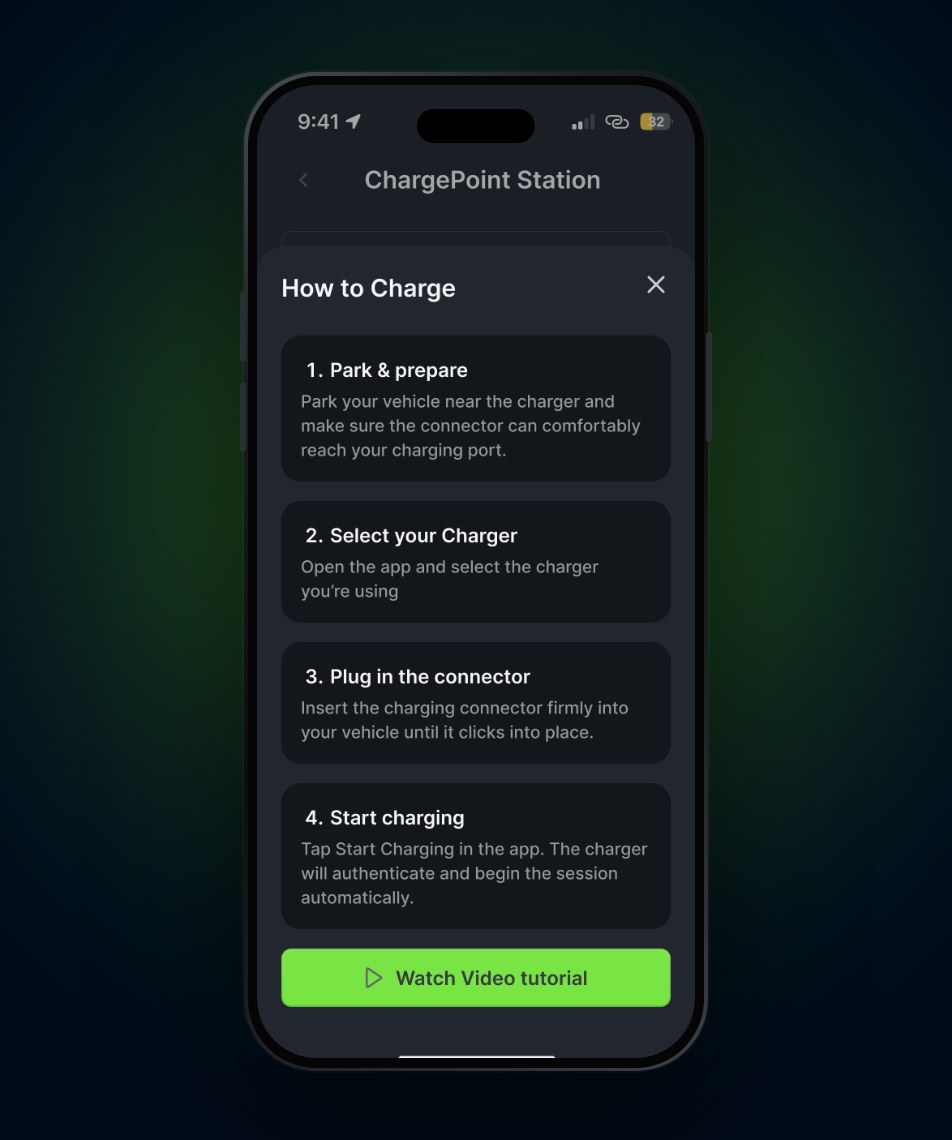
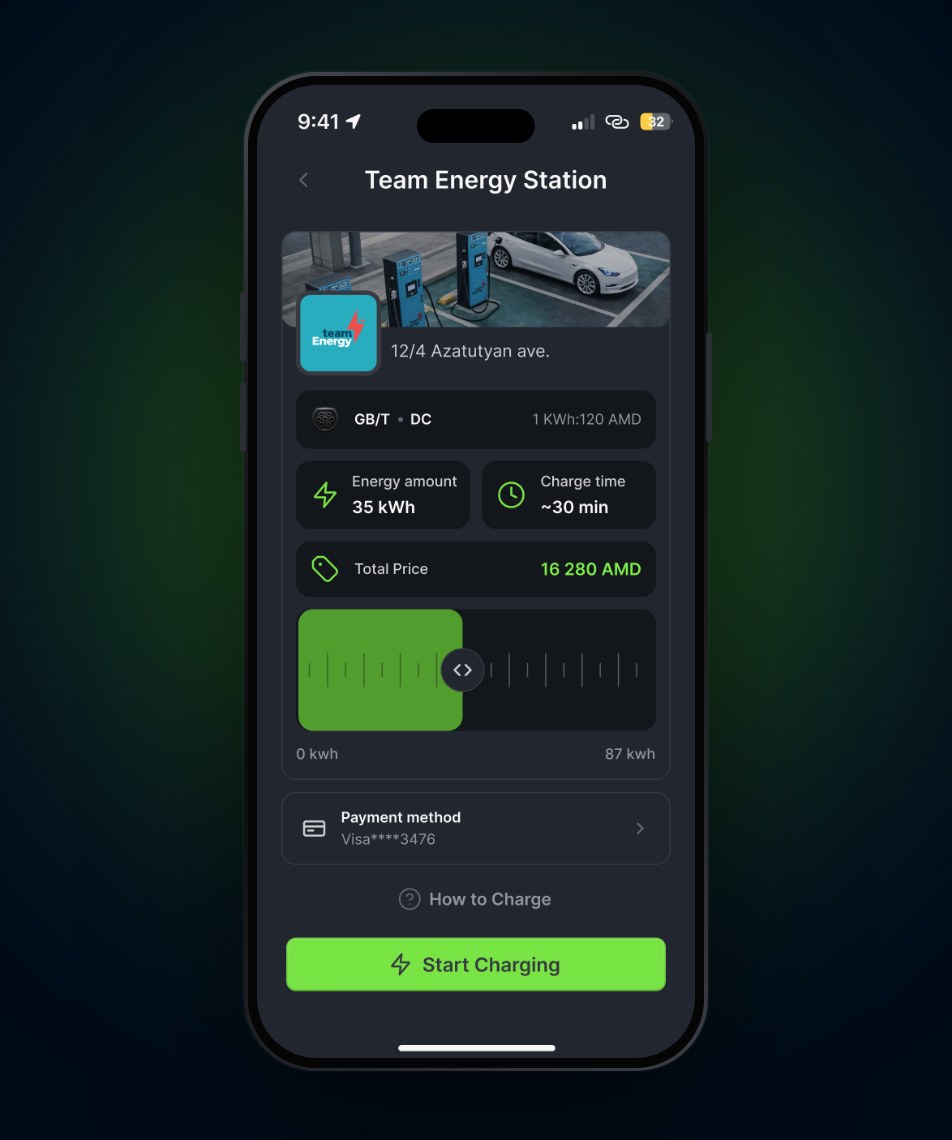
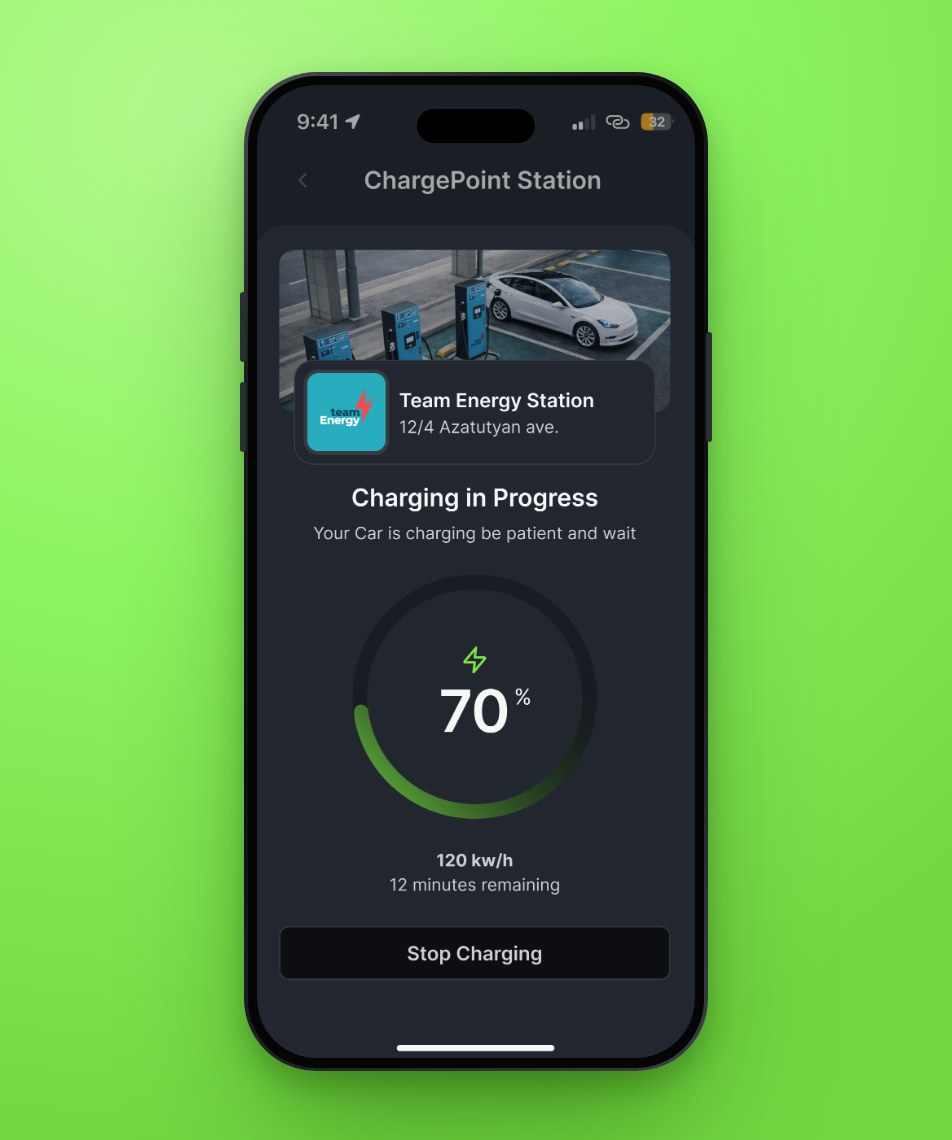
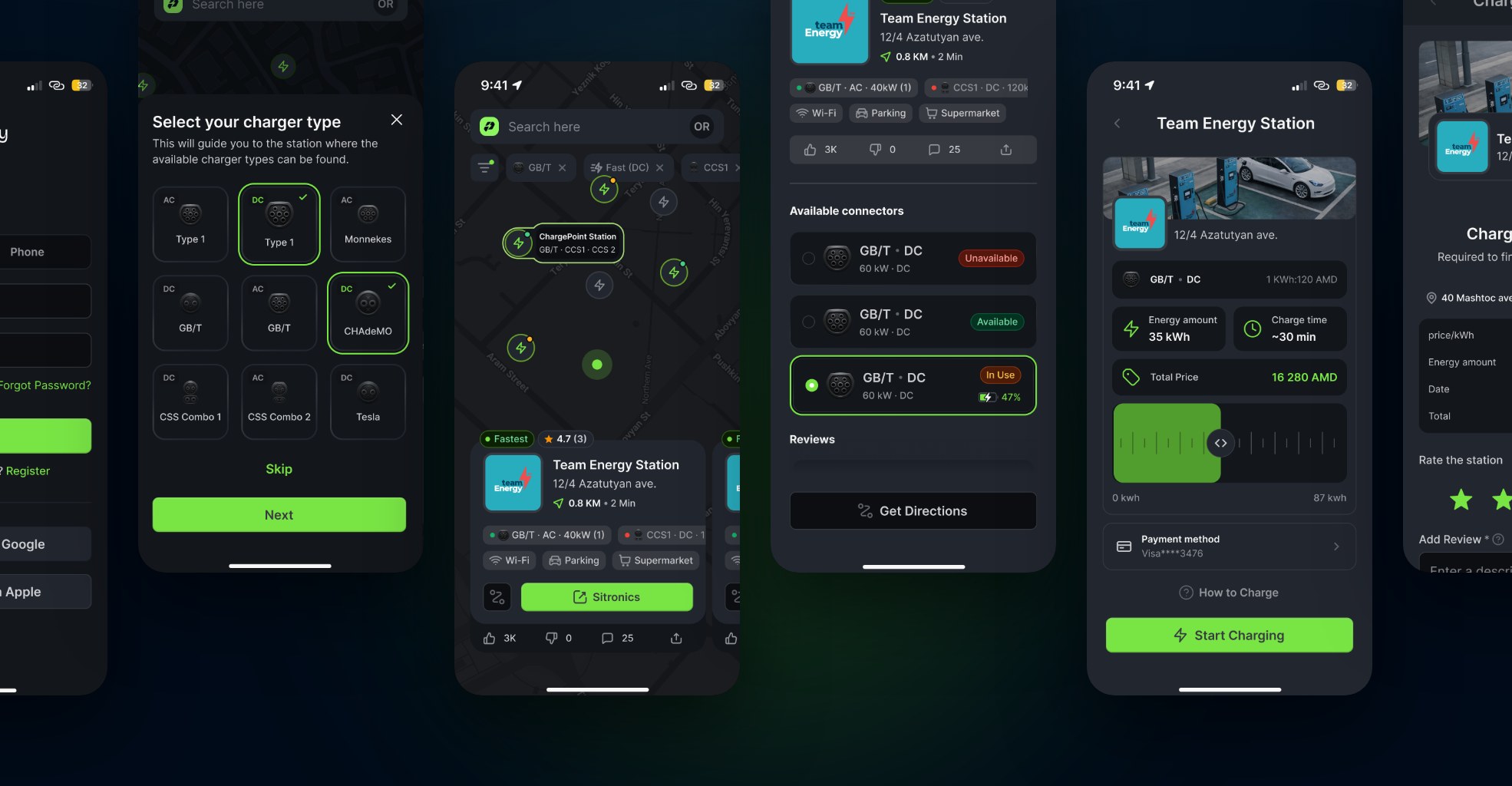
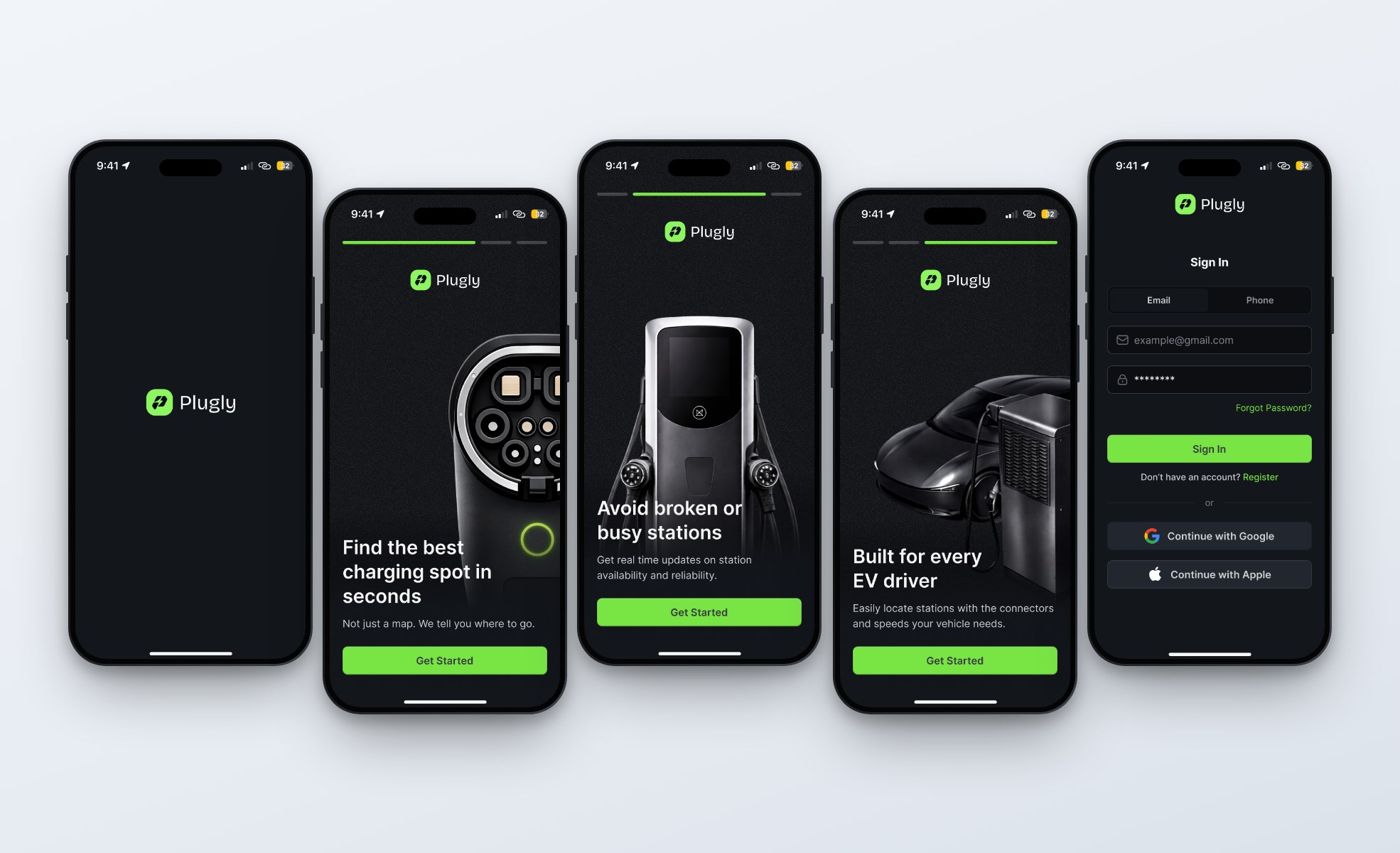
Plugly covers the full charging experience, from onboarding to finding a charger, charging, and payment.
All screens follow the same components and styling, which keeps the app consistent and easy to use.
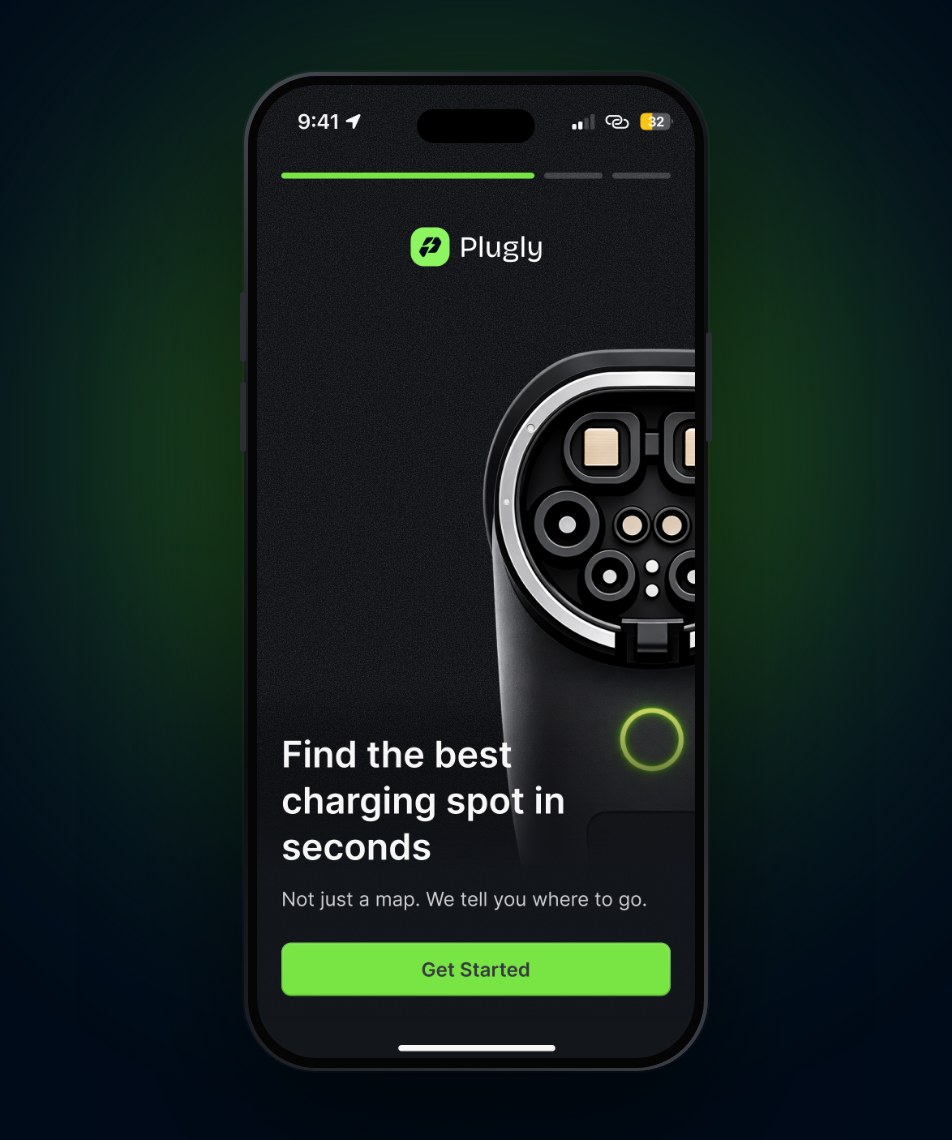
Three simple onboarding screens introduce the app.
Drivers select their connector type and set filters like distance, charging speed, and availability. The map then shows the best match first.
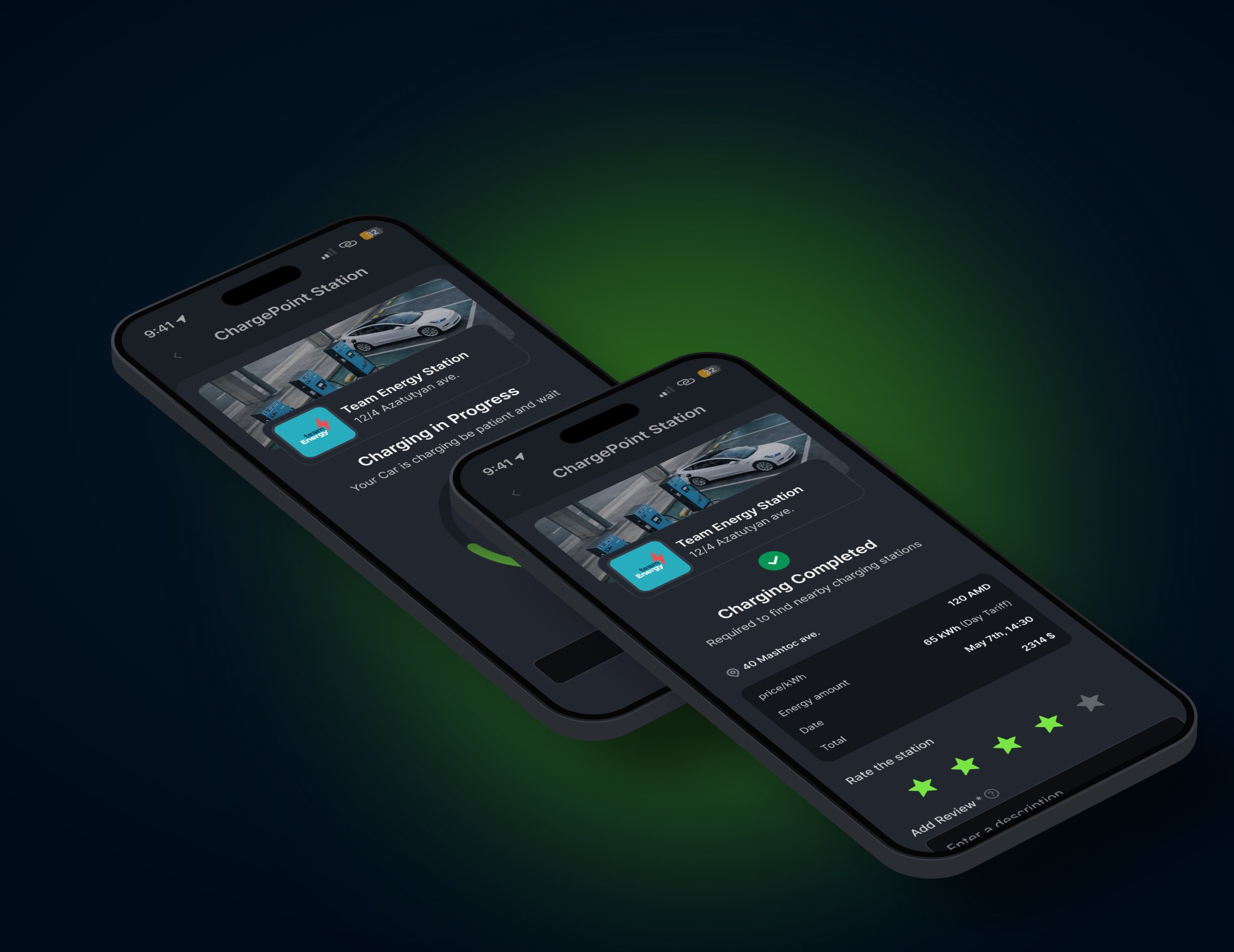
Before starting, drivers choose how much energy they need and see the estimated time and price. They can follow the charging progress and rate the station once it’s done.
The profile is where drivers manage their connectors, payment methods, and charging history.
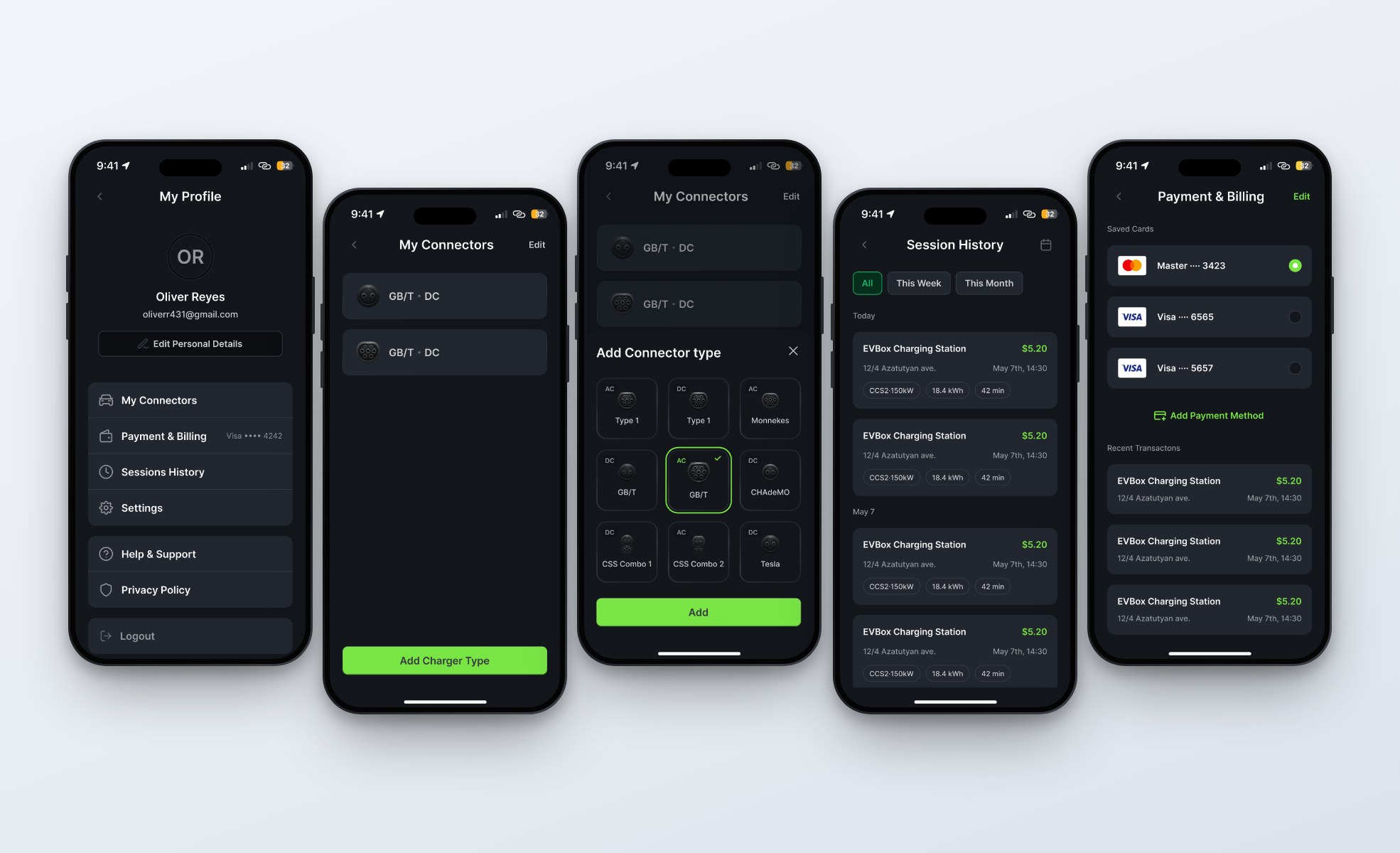
Plugly brings different charging networks into one app and recommends the best charger for each driver, instead of leaving them to compare stations on their own.
The goal is a faster and more reliable charging experience for EV drivers.
Drivers can find chargers across different networks and connector types without switching apps.
The most suitable charger is shown first, based on compatibility, availability, speed, distance, and reliability.
Real time status and community feedback help drivers avoid busy or broken chargers.